Horse Eden Eventing Game


Year: 200   Season: Spring   
$: 0
Forecast: Afternoon Storms, then Clearing
Forecast:
Wed 12:56am  
Stables Online:  91 
Chatbox
Nightingales Ridge
12:56:19 Issy
Gren
Ah yes I hope so lol
Aussie Stables
12:55:41 Aussie - Golden
just realised i still cant click haha
Greenheart Stables
12:53:49 Gren|Grenlin|Snek
@golden
Stay brave soldier 🫡
Greenheart Stables
12:53:25 Gren|Grenlin|Snek
-HEE Click-
Aussie Stables
12:53:01 Aussie - Golden
tried editing already green
Aussie Stables
12:52:44 Aussie - Golden
yeah i cant get there haha. any chance of sending me the link to tha palette editing site
Greenheart Stables
12:52:27 Gren|Grenlin|Snek
If you use computer you can use the inspect tool to edit the code temporarily to be able to access
Gem
12:51:31 Gem
It's next to "Game Rules" and "Jobs". Below the main table and all of that
Greenheart Stables
12:51:00 Gren|Grenlin|Snek
@Golden
The reset is in the palette maker area
Aussie Stables
12:49:25 Aussie - Golden
so i cant find the button and i cant open your mail green haha
Aussie Stables
12:48:19 Aussie - Golden
ok thanks gemthanks green
Gem
12:46:25 Gem
There's a reset palette button at the very bottom of your page <3
Greenheart Stables
12:46:19 Gren|Grenlin|Snek
@Golden
.sales {
background-color:rgba(121, 106, 204.9);
margin-bottom: 5px;
border: 1px solid #ffffff;;
border-radius: 0px !important;
}

.main {
background-color:rgba(121, 106, 204,.9);
margin-bottom: 5px;
border: 1px solid #ffffff;
border-radius: 0px !important;
}

@media (max-width: 1080px) {
.thechat {

width: 100% !important;
top: 130px !important;
left: 4% !important;
}
}
Aussie Stables
12:44:43 Aussie - Golden
any mods on? any ideas green?
Aussie Stables
12:44:12 Aussie - Golden
i literally cant click back to the manage palettes tab ahhh
Greenheart Stables
12:42:10 Gren|Grenlin|Snek
Lol I haven't really touched palettes since the update
Aussie Stables
12:41:17 Aussie - Golden
ahh im doing palette codig but this sticky chat is taking up the whole page and not letting me click anything to change it
Greenheart Stables
12:38:48 Gren|Grenlin|Snek
👋
Aussie Stables
12:37:07 Aussie - Golden
hey green.
Greenheart Stables
12:33:45 Gren|Grenlin|Snek
@Issy
With how expensive he was to make I hope a keeper beauty lol

You must be a registered member for more
than 1 day before you can use our chatbox.


Rules   Hide
You are in: Main Chat
View Sales Chat
Quests

Embark on a Quest.

Horse Eden Eventing Game
Chatbox
Nightingales Ridge
12:56:19 Issy
Gren
Ah yes I hope so lol
Aussie Stables
12:55:41 Aussie - Golden
just realised i still cant click haha
Greenheart Stables
12:53:49 Gren|Grenlin|Snek
@golden
Stay brave soldier 🫡
Greenheart Stables
12:53:25 Gren|Grenlin|Snek
-HEE Click-
Aussie Stables
12:53:01 Aussie - Golden
tried editing already green
Aussie Stables
12:52:44 Aussie - Golden
yeah i cant get there haha. any chance of sending me the link to tha palette editing site
Greenheart Stables
12:52:27 Gren|Grenlin|Snek
If you use computer you can use the inspect tool to edit the code temporarily to be able to access
Gem
12:51:31 Gem
It's next to "Game Rules" and "Jobs". Below the main table and all of that
Greenheart Stables
12:51:00 Gren|Grenlin|Snek
@Golden
The reset is in the palette maker area
Aussie Stables
12:49:25 Aussie - Golden
so i cant find the button and i cant open your mail green haha
Aussie Stables
12:48:19 Aussie - Golden
ok thanks gemthanks green
Gem
12:46:25 Gem
There's a reset palette button at the very bottom of your page <3
Greenheart Stables
12:46:19 Gren|Grenlin|Snek
@Golden
.sales {
background-color:rgba(121, 106, 204.9);
margin-bottom: 5px;
border: 1px solid #ffffff;;
border-radius: 0px !important;
}

.main {
background-color:rgba(121, 106, 204,.9);
margin-bottom: 5px;
border: 1px solid #ffffff;
border-radius: 0px !important;
}

@media (max-width: 1080px) {
.thechat {

width: 100% !important;
top: 130px !important;
left: 4% !important;
}
}
Aussie Stables
12:44:43 Aussie - Golden
any mods on? any ideas green?
Aussie Stables
12:44:12 Aussie - Golden
i literally cant click back to the manage palettes tab ahhh
Greenheart Stables
12:42:10 Gren|Grenlin|Snek
Lol I haven't really touched palettes since the update
Aussie Stables
12:41:17 Aussie - Golden
ahh im doing palette codig but this sticky chat is taking up the whole page and not letting me click anything to change it
Greenheart Stables
12:38:48 Gren|Grenlin|Snek
👋
Aussie Stables
12:37:07 Aussie - Golden
hey green.
Greenheart Stables
12:33:45 Gren|Grenlin|Snek
@Issy
With how expensive he was to make I hope a keeper beauty lol

You must be a registered member for more
than 1 day before you can use our chatbox.


Refresh


Forums

→ Horse Eden is a fun game! Sign Up Now!

My Subscriptions
My Bookmarks
My Topics
Latest Topics
Following

Forums > Art Shops > Art Help
   1    2    3    4    5    6    7 

DDs Art advice & critique? November 14, 2024 09:14 PM


Sagebrush
 
Posts: 4625
#1255957
Give Award

Dash and Duchess said:


It was a bit slow at first but now I've had a few people pm me to see if I could squeeze another slot so I'm hoping to auction off a few more custom slits and see what happens xD


That's awesome! If you're happy with the amount of people then definitely leave it alone for now

Edited at November 14, 2024 09:14 PM by Sagebrush
DDs Art advice & critique? November 14, 2024 09:20 PM


Sagebrush
 
Posts: 4625
#1255960
Give Award
Also, here's some general tips for art.
- ALWAYS blur the background, even if it's just a tiny bit. Look at photography, especially comparing your phone and a digital camera. The bokeh effect in the digital camera makes the piece look better.
- Add vignette to the corners of every piece. How much depends on the darkness of the scene. Never use plain black. This helps frame the subject and draw the viewers eye in to the horse.
- Brighten a layer behind the horse. I take the silhouette of the horse and hair, put it behind the horse, turn it white/almost white, and then switch the layer to overlay, add, or soft light. Then I'll blur it and lower the opacity until it looks perfect. It really helps the horse pop. Sometimes I'll erase/fade this layer closer to the horses feet to keep the horse grounded.

Edited at November 14, 2024 09:20 PM by Sagebrush
DDs Art advice & critique? November 14, 2024 09:23 PM


Dash and Duchess
 
Posts: 4212
#1255962
Give Award

Sagebrush said:
Also, here's some general tips for art.
- ALWAYS blur the background, even if it's just a tiny bit. Look at photography, especially comparing your phone and a digital camera. The bokeh effect in the digital camera makes the piece look better.
- Add vignette to the corners of every piece. How much depends on the darkness of the scene. Never use plain black. This helps frame the subject and draw the viewers eye in to the horse.
- Brighten a layer behind the horse. I take the silhouette of the horse and hair, put it behind the horse, turn it white/almost white, and then switch the layer to overlay, add, or soft light. Then I'll blur it and lower the opacity until it looks perfect. It really helps the horse pop. Sometimes I'll erase/fade this layer closer to the horses feet to keep the horse grounded.


Thank you!! I've been trying to blur my backgrounds recently and I'm definitely taking all of these with my as I work on my next WIPs 😁 I really appreciate the tips!!
DDs Art advice & critique? November 14, 2024 09:25 PM


Sagebrush
 
Posts: 4625
#1255964
Give Award

Dash and Duchess said:

Sagebrush said:
Also, here's some general tips for art.
- ALWAYS blur the background, even if it's just a tiny bit. Look at photography, especially comparing your phone and a digital camera. The bokeh effect in the digital camera makes the piece look better.
- Add vignette to the corners of every piece. How much depends on the darkness of the scene. Never use plain black. This helps frame the subject and draw the viewers eye in to the horse.
- Brighten a layer behind the horse. I take the silhouette of the horse and hair, put it behind the horse, turn it white/almost white, and then switch the layer to overlay, add, or soft light. Then I'll blur it and lower the opacity until it looks perfect. It really helps the horse pop. Sometimes I'll erase/fade this layer closer to the horses feet to keep the horse grounded.


Thank you!! I've been trying to blur my backgrounds recently and I'm definitely taking all of these with my as I work on my next WIPs 😁 I really appreciate the tips!!


I'm glad you appreciate it! Those things are stuff I ALWAYS do to my pieces and it really makes it so much better. One day I'll do a side by side comparison! What I also like to do is copy the background image, paste it over the entire art piece, use overlay/soft light, blur it, and lower the opacity a lot. This helps with cohesiveness of the piece.
DDs Art advice & critique? November 14, 2024 09:32 PM


Dash and Duchess
 
Posts: 4212
#1255966
Give Award

Sagebrush said:

Dash and Duchess said:

Sagebrush said:
Also, here's some general tips for art.
- ALWAYS blur the background, even if it's just a tiny bit. Look at photography, especially comparing your phone and a digital camera. The bokeh effect in the digital camera makes the piece look better.
- Add vignette to the corners of every piece. How much depends on the darkness of the scene. Never use plain black. This helps frame the subject and draw the viewers eye in to the horse.
- Brighten a layer behind the horse. I take the silhouette of the horse and hair, put it behind the horse, turn it white/almost white, and then switch the layer to overlay, add, or soft light. Then I'll blur it and lower the opacity until it looks perfect. It really helps the horse pop. Sometimes I'll erase/fade this layer closer to the horses feet to keep the horse grounded.


Thank you!! I've been trying to blur my backgrounds recently and I'm definitely taking all of these with my as I work on my next WIPs 😁 I really appreciate the tips!!


I'm glad you appreciate it! Those things are stuff I ALWAYS do to my pieces and it really makes it so much better. One day I'll do a side by side comparison! What I also like to do is copy the background image, paste it over the entire art piece, use overlay/soft light, blur it, and lower the opacity a lot. This helps with cohesiveness of the piece.


I've never thought of that! That does make sense though to bring it together! I'll definitely be updating here soon using all of these tips and I'm excited to see what it looks like on my WIPs 😁😁

Edited at November 14, 2024 09:32 PM by Dash and Duchess
DDs Art advice & critique? November 17, 2024 03:19 PM


Dash and Duchess
 
Posts: 4212
#1256605
Give Award
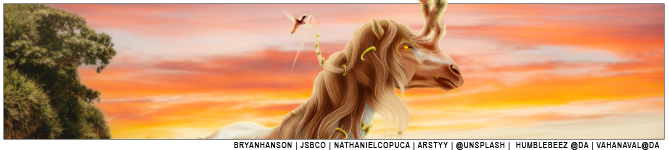
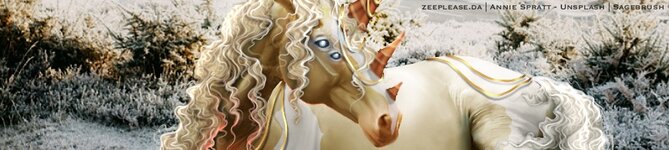
I'm going art crazy with all of my Wips right now so here's another one
aggressive toss
Christmas-Snowy-Reindeer.png
finished-for-zomb.png
.

Edited at December 6, 2024 07:21 PM by Dash and Duchess
DDs Art advice & critique? December 21, 2024 08:21 PM


Dash and Duchess
 
Posts: 4212
#1271517
Give Award
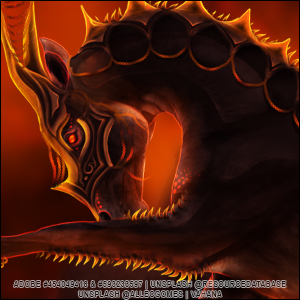
Updating with my newest WIP, any advice is really appreciated <3
(side note, I'm absolutley loving this so far and I'm quite happy with the current progress!)
-
mods - both adobe stocks are purchased and proof can be provided <3
Mantra-WIPnewshine.png
^Clicky^

Edited at December 22, 2024 01:42 AM by Dash and Duchess
DDs Art advice & critique? December 22, 2024 02:51 PM


Amethyst Ranch
 
Posts: 2011
#1271774
Give Award
I am in love with the most recent WIP.😍 need to get arts from you soon 😍
DDs Art advice & critique? December 22, 2024 02:53 PM


Dash and Duchess
 
Posts: 4212
#1271776
Give Award

Amethyst Ranch said:
I am in love with the most recent WIP.😍 need to get arts from you soon 😍


Thank you!! I'm super happy with how it's coming along! (And I think I may throw some more slots out soon :D) <3
DDs Art advice & critique? December 22, 2024 02:53 PM


Petrichor Pastures
 
Posts: 45
#1271777
Give Award
Dash honey this is absolutely stunning 😍

Dash and Duchess said:
Updating with my newest WIP, any advice is really appreciated <3
(side note, I'm absolutley loving this so far and I'm quite happy with the current progress!)
-
mods - both adobe stocks are purchased and proof can be provided <3
Mantra-WIPnewshine.png
^Clicky^


Forums > Art Shops > Art Help
   1    2    3    4    5    6    7 

Refresh