| |
|
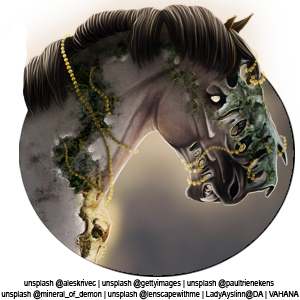
Sooooo, I now have upwards of 45 pieces, last I checked, with like 5 cuts each, which somehow totals 255 images... . Art collectors (*cough* hoarders *cough*), how and where do you store all your art? Right now, I just have all of mine lumped into an album on Google Photos. . Pros: - Available on every device for quick art switches
- Backed up so I won't lose anything
Cons: - Has resized some banners from like 4 year ago BY ONE PIXEL, so now they're 668x150 and I have to resize them back to 669x150 if I want to use them again
- My older png avis are no longer transparent
- Sorted by date uploaded, so if I receive more cuts later/download at different times, it's all scattered and mixed up.
What I'm looking for: - Cloud storage
- Accesible on numerous devices
- Able to add sub folders so they're not all in the same big pile
|
|  |
|
| |
|
I don't really have a way for it to be stored accessibly to all devices, but I DO have a flashdrive that I keep everything on as a backup in case anything happens to my PC and I lose that folder. My worst nightmare, lol |
|  |
|
| |

Art Team
|
Lowkey I keep the game mail for all of them saved in a folder in the game mailbox 😅 Issue with that is that some links expire and then it gets lost forever 😭 |
|  |
|
| |
|
Gem said:
Lowkey I keep the game mail for all of them saved in a folder in the game mailbox 😅 Issue with that is that some links expire and then it gets lost forever 😭
NO I DO THAT TOO! I literally just discovered a new piece the other day because of that. Or like sometimes I'm scrolling on DA or through a shops examples and I'm like, "hey wait a sec, is that mine?" |
| |
|
| |
|
Heartbeat Haven said:
I don't really have a way for it to be stored accessibly to all devices, but I DO have a flashdrive that I keep everything on as a backup in case anything happens to my PC and I lose that folder. My worst nightmare, lol
Oof yeah, my favourite piece is currently in a folder I forgot to upload, on a laptop I haven't turned on in months... |
| |
|
| |

Moderator
|
Put them in at least 17 folders, 94839 sub folders, on my laptop and my primary thumb drive, then a thumb drive I can only find once every 3 and a half leap years, in absolutely ZERO order that makes sense to anyone including myself. Welcome to my art orginization. LOL |
|  |
|
| |
|
That's what I do, but now that you mention thexpired links I need to save them on my pc asap 😭
Gem said:
Lowkey I keep the game mail for all of them saved in a folder in the game mailbox 😅 Issue with that is that some links expire and then it gets lost forever 😭
|
|  |
|
| |
|
I keep mine on my desktop, a folder for each piece. I save the master .psd file, a .psd of each cut and the respective .png and/or .jpg versions and optimised versions together in that folder. The file names describe whatever version it is (e.g. 'HorseMaster', 'HorseBannerOptimized', etc.) and I try to keep it consistent! |
|  |
|
| |
|
Ashcroft Park Stud said:
I keep mine on my desktop, a folder for each piece. I save the master .psd file, a .psd of each cut and the respective .png and/or .jpg versions and optimised versions together in that folder. The file names describe whatever version it is (e.g. 'HorseMaster', 'HorseBannerOptimized', etc.) and I try to keep it consistent!
Wow you have your shit together LOL, I love that. None of my files are labelled, they're just a random collection of numbers and letters... |
| |
|
| |
|
So what I ended up doing is putting all the art in Google Drive, and then I made an album for each piece. If I have numerous works from the same artist, I made one labelled "Zomb" for example, and then added subfolders for the specific pieces (Ex. Purple Galaxy, Chestnut Spring). I gave them names I thought I'd remember most lol. . HEE Art > Zomb > Purple Galaxy |
| |
|

 Clear with Temps dropping into the Teens


