| Hair | July 21, 2020 05:43 PM |
|
|
Hi guys i was wondering if all you amazing artists could give me some tips and tricks to help make hair more realist |
|
|
| Hair | July 21, 2020 05:44 PM |
|
|
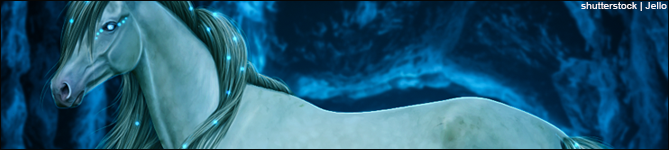
Above is a compiled list of tutorials to help with manes and other details. Feel free to take a peek. |
|  |
|
| Hair | July 21, 2020 05:45 PM |
|
|
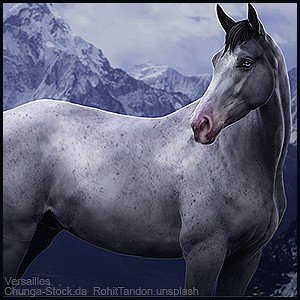
Would you mind posting some examples of your current art, and what program do you use? |
|  |
|
| Hair | July 21, 2020 06:23 PM |
|
|
Lucky Ranch said:
Would you mind posting some examples of your current art, and what program do you use?
|
|
|
| Hair | July 21, 2020 06:32 PM |
|
|
I think it looks great! But maybe ad some more stands of hair. And make it come up a bit more. It really depends on what you think looks good
Your ugly Jumper said:
Lucky Ranch said:
Would you mind posting some examples of your current art, and what program do you use?
|
|
|
| Hair | July 22, 2020 08:42 AM |
|
|
Your ugly Jumper said:
Lucky Ranch said:
Would you mind posting some examples of your current art, and what program do you use?
Ooh Krita is an AMAZING program. I don't know the layout of it, but I know that Den, (Dense Moors) makes these stunningly beautiful pieces, and she uses Krita. Shes also incredibly nice, I'm sure she would be happy to give you a few tips :D . Ok. So first, constructive criticism. The horse and backround dosent match, the horse looks a little rough, and the hooves don't look "right" . Solutions to those things: To make the horse match the backround, use the hue/saturation, color balance, and occasionally the lightness and contrast. For body prep, I normally make a new clipping layer over the horse, and take an airbrush, and using the eyedropper, take colors from the coat, and airbrush over them to smooth it out. Hooves: I make a new layer, and paint hooves, and then smudge/blur gently at the top to "connect" them to the leg. You can also add some hair coming down onto the hoof. You can add different colors on the hoof to make it more realistic and then use the Guassian Blur to smoother it out. . You cut out the horse incredibly well, found a background that matches the horse (dosent look out of porpotion) You made the hair look like it belongs on the horse! . For the hair: I read TONS of tutorials, and experimented for hours. I would suggest trying different styles. I'm still deciding on my own style. If Krita has the "Force Fade" ability for brushes: use it. It is incredibly helpful. I would suggest adding more flyaways, and maybe adding some shadows on the horses body by using a black airbrush. And for the horses mane and tail, I would suggest making a new layer for every new color you're going to use. Say, the hair base is black. Make a new layer, add flyaways Then, merge those two layers. Make a new layer, take a dark gray, add the gray. (Something to experiment with: on each layer of the strand colors, turn down the opacity of the layer. For this to work, you will need to turn the opacity down for each new color, so for each color, you will have to make a new layer. You can merge then down after) After you have done your darkest gray, think about what the backround general color is. If the backround is gray or blue, when making the strands, take a deep gray with a hint of blue to it. If the background is orangey, you will probably want to use brown instead of gray, you will want the mane to have brown strands. Think of that when you pick your next color. Make sure to make a new layer, and turn the pixel size down each time you pick a new color. Then repeat, until you're at a very light color. Use that only in places where you think the lighting is there most. |
| |
|
| Hair | July 22, 2020 08:44 AM |
|
|
Sorry for the long reply. You dont have to follow what I said, it's just my way of doing stuff :) Everyone's style is a bit different, and I don't want you to think that I'm trying to shove my style onto you :) |
| |
|
| Hair | July 22, 2020 08:08 PM |
|
|
thanks so much!!!
Lucky Ranch said:
Your ugly Jumper said:
Lucky Ranch said:
Would you mind posting some examples of your current art, and what program do you use?
Ooh Krita is an AMAZING program. I don't know the layout of it, but I know that Den, (Dense Moors) makes these stunningly beautiful pieces, and she uses Krita. Shes also incredibly nice, I'm sure she would be happy to give you a few tips :D . Ok. So first, constructive criticism. The horse and backround dosent match, the horse looks a little rough, and the hooves don't look "right" . Solutions to those things: To make the horse match the backround, use the hue/saturation, color balance, and occasionally the lightness and contrast. For body prep, I normally make a new clipping layer over the horse, and take an airbrush, and using the eyedropper, take colors from the coat, and airbrush over them to smooth it out. Hooves: I make a new layer, and paint hooves, and then smudge/blur gently at the top to "connect" them to the leg. You can also add some hair coming down onto the hoof. You can add different colors on the hoof to make it more realistic and then use the Guassian Blur to smoother it out. . You cut out the horse incredibly well, found a background that matches the horse (dosent look out of porpotion) You made the hair look like it belongs on the horse! . For the hair: I read TONS of tutorials, and experimented for hours. I would suggest trying different styles. I'm still deciding on my own style. If Krita has the "Force Fade" ability for brushes: use it. It is incredibly helpful. I would suggest adding more flyaways, and maybe adding some shadows on the horses body by using a black airbrush. And for the horses mane and tail, I would suggest making a new layer for every new color you're going to use. Say, the hair base is black. Make a new layer, add flyaways Then, merge those two layers. Make a new layer, take a dark gray, add the gray. (Something to experiment with: on each layer of the strand colors, turn down the opacity of the layer. For this to work, you will need to turn the opacity down for each new color, so for each color, you will have to make a new layer. You can merge then down after) After you have done your darkest gray, think about what the backround general color is. If the backround is gray or blue, when making the strands, take a deep gray with a hint of blue to it. If the background is orangey, you will probably want tminstead of gray, you will want the mane to have brown strands. Think of that when you pick your next color. Make sure to make a new layer, and turn the pixel size down each time you pick a new color. Then repeat, until you're at a very light color. Use that only in places where you think the lighting is there most.
|
|
|
| Hair | July 22, 2020 09:51 PM |
|
|
Your ugly Jumper said:
thanks so much!!!
Lucky Ranch said:
Your ugly Jumper said:
Lucky Ranch said:
Would you mind posting some examples of your current art, and what program do you use?
Ooh Krita is an AMAZING program. I don't know the layout of it, but I know that Den, (Dense Moors) makes these stunningly beautiful pieces, and she uses Krita. Shes also incredibly nice, I'm sure she would be happy to give you a few tips :D . Ok. So first, constructive criticism. The horse and backround dosent match, the horse looks a little rough, and the hooves don't look "right" . Solutions to those things: To make the horse match the backround, use the hue/saturation, color balance, and occasionally the lightness and contrast. For body prep, I normally make a new clipping layer over the horse, and take an airbrush, and using the eyedropper, take colors from the coat, and airbrush over them to smooth it out. Hooves: I make a new layer, and paint hooves, and then smudge/blur gently at the top to "connect" them to the leg. You can also add some hair coming down onto the hoof. You can add different colors on the hoof to make it more realistic and then use the Guassian Blur to smoother it out. . You cut out the horse incredibly well, found a background that matches the horse (dosent look out of porpotion) You made the hair look like it belongs on the horse! . For the hair: I read TONS of tutorials, and experimented for hours. I would suggest trying different styles. I'm still deciding on my own style. If Krita has the "Force Fade" ability for brushes: use it. It is incredibly helpful. I would suggest adding more flyaways, and maybe adding some shadows on the horses body by using a black airbrush. And for the horses mane and tail, I would suggest making a new layer for every new color you're going to use. Say, the hair base is black. Make a new layer, add flyaways Then, merge those two layers. Make a new layer, take a dark gray, add the gray. (Something to experiment with: on each layer of the strand colors, turn down the opacity of the layer. For this to work, you will need to turn the opacity down for each new color, so for each color, you will have to make a new layer. You can merge then down after) After you have done your darkest gray, think about what the backround general color is. If the backround is gray or blue, when making the strands, take a deep gray with a hint of blue to it. If the background is orangey, you will probably want tminstead of gray, you will want the mane to have brown strands. Think of that when you pick your next color. Make sure to make a new layer, and turn the pixel size down each time you pick a new color. Then repeat, until you're at a very light color. Use that only in places where you think the lighting is there most.
<3 |
| |
|

 Sunny Day with a Full Moon tonight

