What you’ll learn
I’m going to teach you how to position elements (all your boxes, text, and images) and control how different elements overlap (which element shows up on top), so you can create a cool effect as seen below, with the hoof extending over the main game navigation. We’ll just learn about the overlapping part, so don’t get too excited xD. Toasty did the rest of this incredible CSS wizardry, I just did the overlapping. 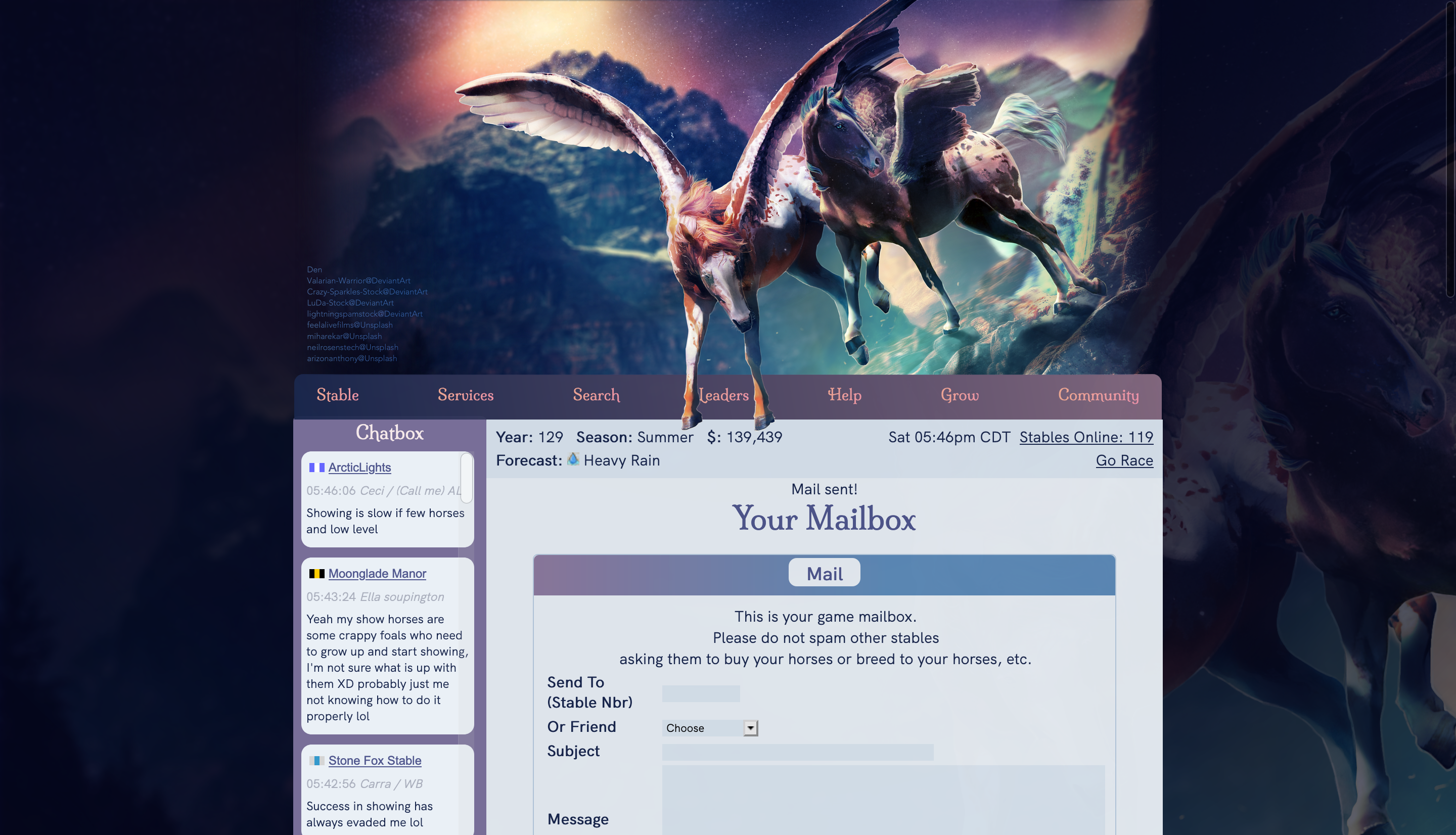
Please share this guide if you find it helpful! You’re welcome to reply to this post to ask questions about anything you don’t understand or simply want clarification on. Lastly, I encourage you to take any and all code samples from this guide to play with and learn from.
In this guide, I’m going to break down the individual steps to create the effect shown in the image above, using full code examples. Throughout, I’ll include direct links to pages from Mozilla’s helpful CSS resources. They include some interactive examples, so you can try it out live!
Some quick terminology
If you want to apply some cool styles to a specific element on the page, you need to specify a CSS selector that describes that element (what element you’re selecting).
An example element is HEE. The a is a tag (where tags include a, table, div, etc.) made for handling links, href is an attribute with a corresponding value of “https://horseeden.com”.
- If you want to change the style of all link tags, your CSS selector would just be a
- The id attribute is special and is basically assigning that element’s ID (identifier). (Ideally, the id is unique, but nothing stops you from giving every element the same id.) To select something with the id “hee”, your selector would be #hee and if you want links with the id “hee”, your selector would be a#hee
- The class attribute is also special and is a way of classifying certain elements. To select all elements with the same class, say “url”, your selector would be .url and for all links with the class “url”, your selector would be a.url
There are many more ways to select elements, see https://developer.mozilla.org/en-US/docs/Web/CSS/CSS_Selectors
A short warning
As you dive into more advanced CSS, you’ll quickly discover that some styles behave differently on different browsers and devices. Yes, it’s a pain xD There are sometimes CSS properties specific to various browsers/devices and often there are workarounds. There are also tools online that can help with cross-browser styles! However, sometimes all you can do is compromise when a certain browser misbehaves. Make sure to ask about what browsers/devices your palette commissioners use. Pro tip: mobile and Internet Explorer tend to be the hardest to appease!
In this guide, I use Firefox on desktop and have not yet tested it on other devices because I’m lazy.
Starting the palette
For this tutorial, please create a new palette, using the “Default” palette as a base template.
Placing the site header
The usual place for a custom site header uses the CSS selector .gameheader. However, in this tutorial, we want the header to overlap with the site navigation, so our selector will be .gameheader div[style]:first-child.
Wordy description of what that means: .gameheader is the parent (or outer) element, and inside .gameheader, we’re targeting a div tag which has a style attribute (with any value, doesn’t matter), and we only accept it if it’s the first child that shows up in the list of the parent’s immediate children.
Less wordy: Inside the .gameheader div, there are two div children. The second one is the navigation, and the first is where we’ll place our header.
(Why not modify .gameheader? Because the navigation is a child element of the .gameheader element, meaning it’s inside .gameheader. So any changes to the parent element, .gameheader, would affect its child, the navigation. It’s much simpler to place our header in a sibling of the navigation.)
For the purposes of following this guide, you are allowed to use this image: https://i1.lensdump.com/i/jCED2P.png. Just be sure to remove it from your palette after following the guide, as this image has been sold to another user :)
Now scroll to the bottom of your new (test) palette, and paste the following:
.gameheader div[style]:first-child { background-image: url(https://i1.lensdump.com/i/jCED2P.png);
background-repeat: no-repeat;
background-size: 858px;
height: 430px !important;
}
We’re setting the background image to a URL, the one I linked above. The background size will have a width of 858px (pixels), and we do not want the background to repeat itself like a pattern, so we specify “no-repeat.” We’re also setting the height to be 430px. The !important must go before the semicolon (;). We add this text because that element already has the height property set to 150px in the HTML itself, so we must insist upon overriding it with the text !important (see below, how the style attribute is already set?) 
Save it and view it, and it should look as below: 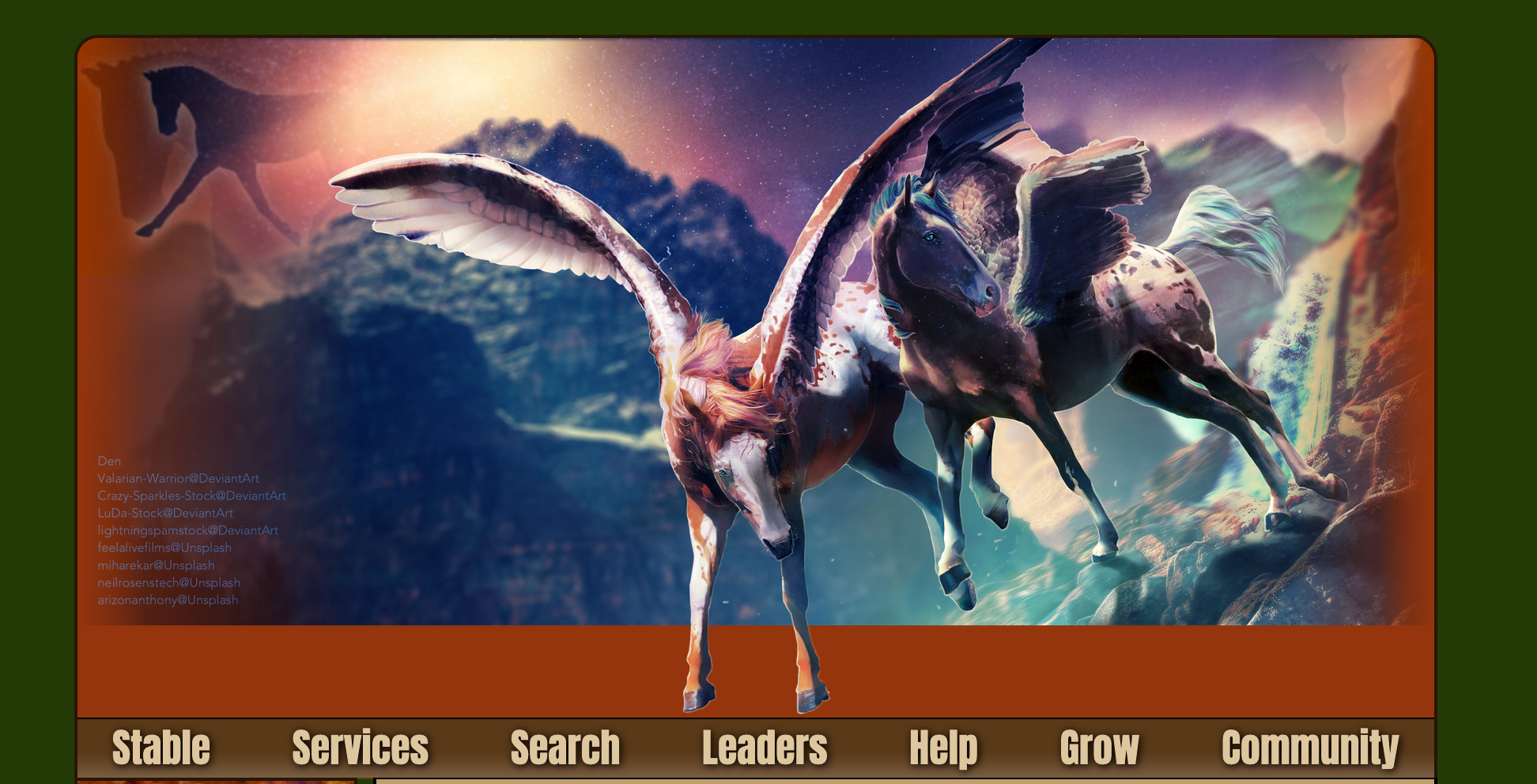
Positioning elements
There are a number of ways to change how something is positioned (for example, the CSS properties: position, float, margin, display, and so on). Let’s start with the property called position: https://developer.mozilla.org/en-US/docs/Web/CSS/position
position: relative; allows you to change an element’s position from where it currently is (aka relative position). However, all the neighboring elements will still give it the same amount of room, as if it had never moved. It’s kind of like cutting out a small square from a piece of paper, moving it a little up/down/right/left, and taping it back down on the page. The place where you used scissors to cut it out still takes up space, but you’ve shifted the square’s position.
position: absolute; completely removes the element from where it used to reside and plops it down wherever you specify. Normally, it’ll shift all the way to the upper left of the screen (note: if you want it to be positioned relative to another element that happens to contain this one, but you don’t want to leave a gaping space, set this element to position: absolute; and the containing element to position: relative;). It’s like taking a square from a second sheet of paper and taping it anywhere on your first page. There is no gaping space on your first paper.
Feel free to play around with the other values possible (fixed, sticky)!
Overlapping the image with the navigation
Warning: Once you save this next section, you might not be able to access the site navigation. This will be fixed in the section following this one!
Here’s one way we could do it. We can shift it from its current position by 59 pixels from the top.
Wait, how did I know that would be enough pixels? It would be tedious to keep changing it and saving the palette. If you’re on desktop, open up the web inspector to see all the HTML elements and CSS, and directly change values to see how that would look. If you’re on Firefox, see https://developer.mozilla.org/en-US/docs/Tools/Page_Inspector/How_to/Open_the_Inspector. If you’re currently using Chrome, see https://developers.google.com/web/tools/chrome-devtools/css.
Anyway, let’s set our element’s position to relative and ask for it to be shifted from the top by 59px, like so (check the link about position to see further links to top, right, bottom, left, which allow you to shift the image down from the top, from the right, up from the bottom, and from the left, respectively). Edit your code so it now looks like:
.gameheader div[style]:first-child { background-image: url(https://i1.lensdump.com/i/jCED2P.png);
background-size: 858px;
background-repeat: no-repeat;
height: 430px !important;
position: relative;
top: 59px;
}
Result: 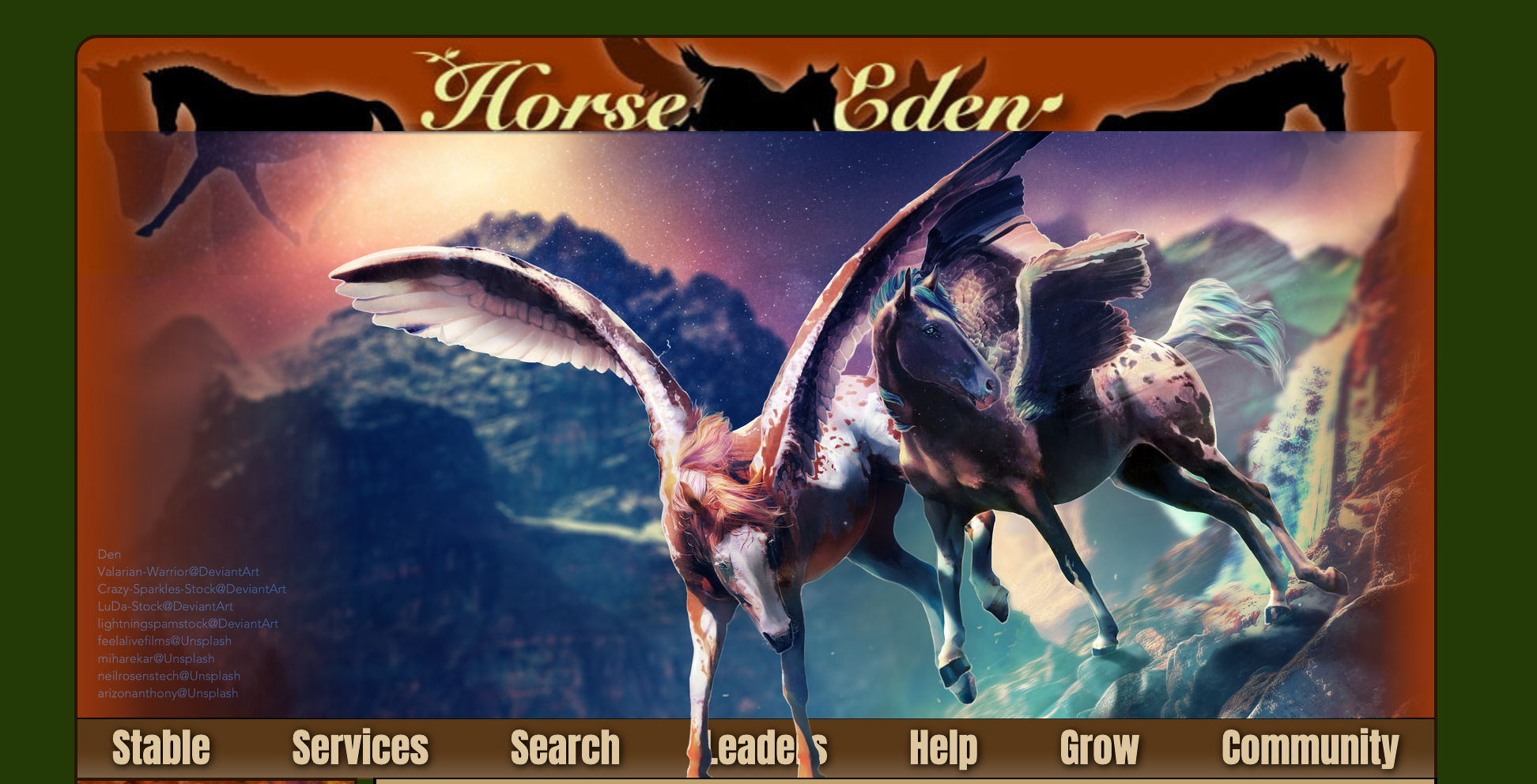
Now there’s this awkward space above it, since all we’ve done is shift it down from its previous position. Let’s get rid of that space by changing the element’s margin (https://developer.mozilla.org/en-US/docs/Web/CSS/margin). Here’s an image visually describing margin vs padding: https://media.prod.mdn.mozit.cloud/attachments/2019/03/19/16558/29c6fe062e42a327fb549a081bc56632/box-model.png Confusingly, if you’re familiar with the concept of page/paper margins, this is not the same “margin”. Page margins are more like CSS padding (https://developer.mozilla.org/en-US/docs/Web/CSS/padding), whereas CSS margins would be all the space immediately outside the paper’s edges.
Positive margins (like 10px or 10%) will increase space between the element’s edges and all its neighbors. Negative margins will decrease that space. So let’s set our element’s top margin (the margin above our element) to -59px (yep, we’re just negating how much we originally shifted the element by!).
.gameheader div[style]:first-child { background-image: url(https://i1.lensdump.com/i/jCED2P.png);
background-size: 858px;
background-repeat: no-repeat;
height: 430px !important;
position: relative;
top: 59px;
margin-top: -59px;
}
By the way, this is equivalent to if we simply did not shift the element, and instead set a negative bottom margin, like so (wooo, less code!):
.gameheader div[style]:first-child { background-image: url(https://i1.lensdump.com/i/jCED2P.png);
background-size: 858px;
background-repeat: no-repeat;
height: 430px !important;
position: relative;
margin-bottom: -59px;
}
Result: 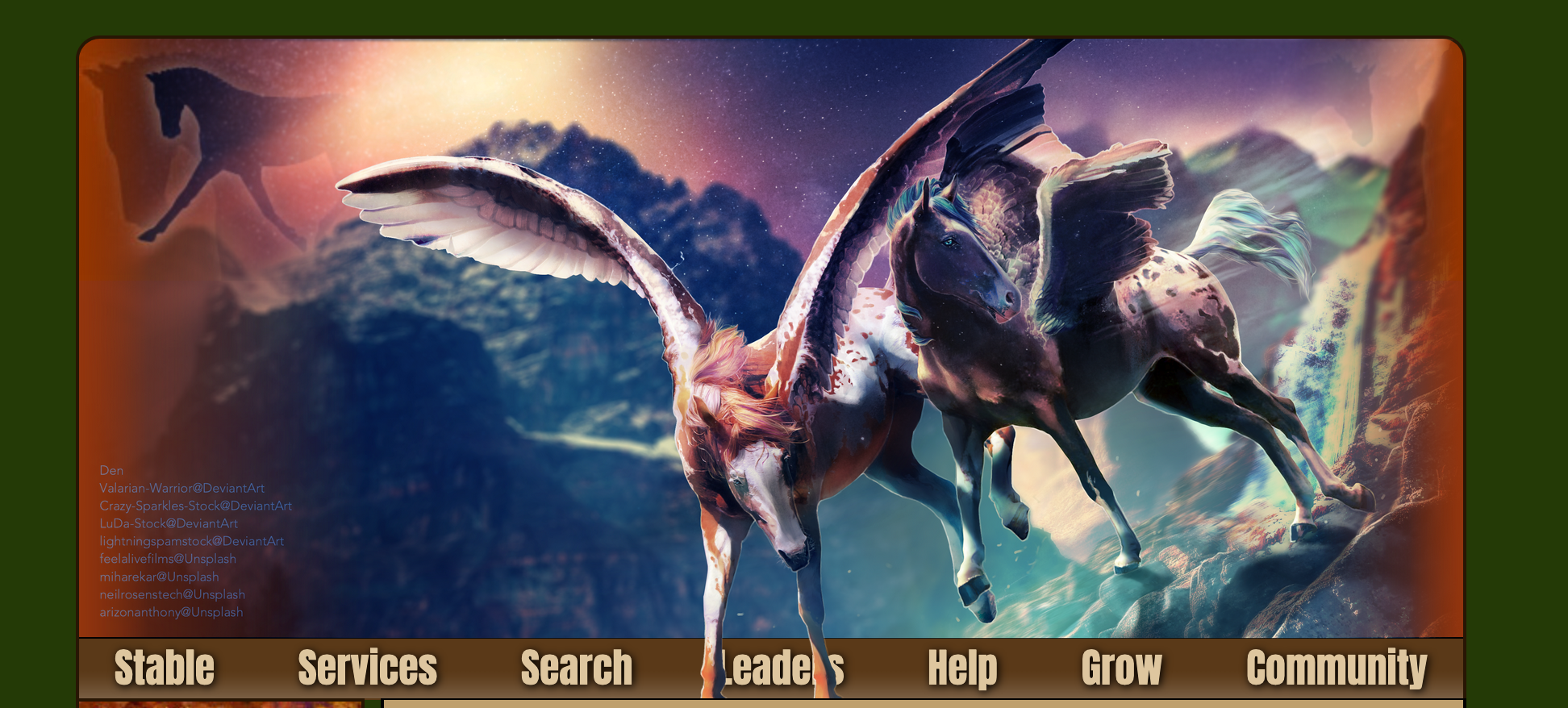
Final touches
Whoops, by overlapping an image over the navigation, we can no longer click on the navigation links! Makes sense though, right? Fortunately, we can fix this using the pointer-events property (https://developer.mozilla.org/en-US/docs/Web/CSS/pointer-events). <- This link contains a lot of information specific to SVGs (Scalable Vector Graphics), that probably won’t concern you. Set pointer-events: none; so that your mouse (pointer) clicks will ignore our overlapping image and look at all the elements that it’s been covering.
.gameheader div[style]:first-child { background-image: url(https://i1.lensdump.com/i/jCED2P.png);
background-size: 858px;
background-repeat: no-repeat;
height: 430px !important;
position: relative;
margin-bottom: -59px;
pointer-events: none;
}
Nav works now!! 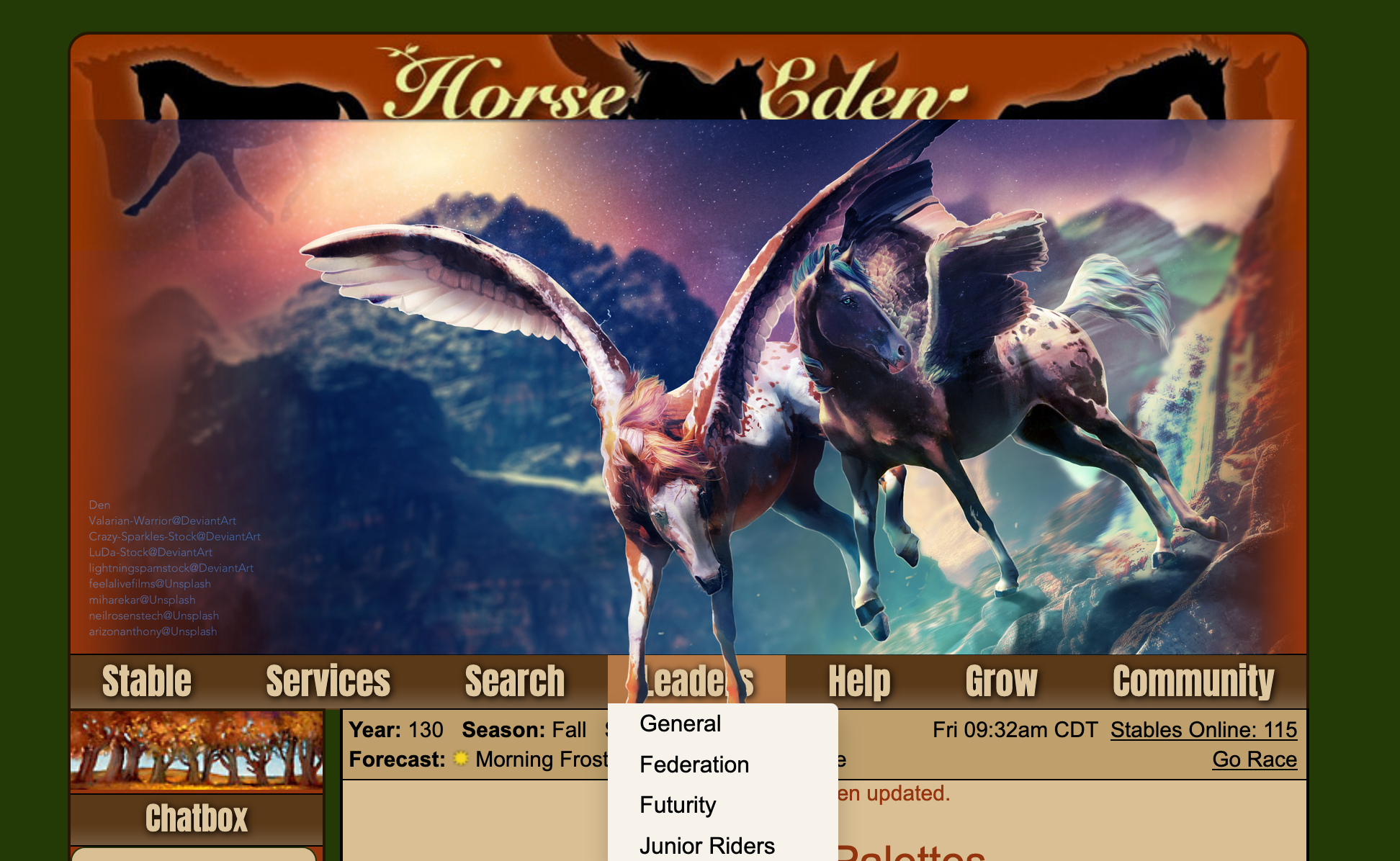
One more fix: you’ll notice the hooves still got cut off. That’s because all the elements below the navigation are still overlapping our image. Introducing the z-index property (https://developer.mozilla.org/en-US/docs/Web/CSS/z-index)! Here we can control the order of overlap, (think about the z-axis). The higher the value, the more “on top” that element will be. (Note that for z-index to work, you need to set position to something like “relative” or “absolute”. Basically, any valid value that isn’t “static”.)
We’ll set our element’s z-index to 100000001. Why this value? That’s because the dropdown navigation (like General, Federation, Futurity, and Junior Riders) has a z-index of 100000000, so we’ll just add 1 to that to assert dominance!
.gameheader div[style]:first-child { background-image: url(https://i1.lensdump.com/i/jCED2P.png);
background-size: 858px;
background-repeat: no-repeat;
height: 430px !important;
position: relative;
margin-bottom: -59px;
z-index: 100000001;
pointer-events: none;
}
Result: 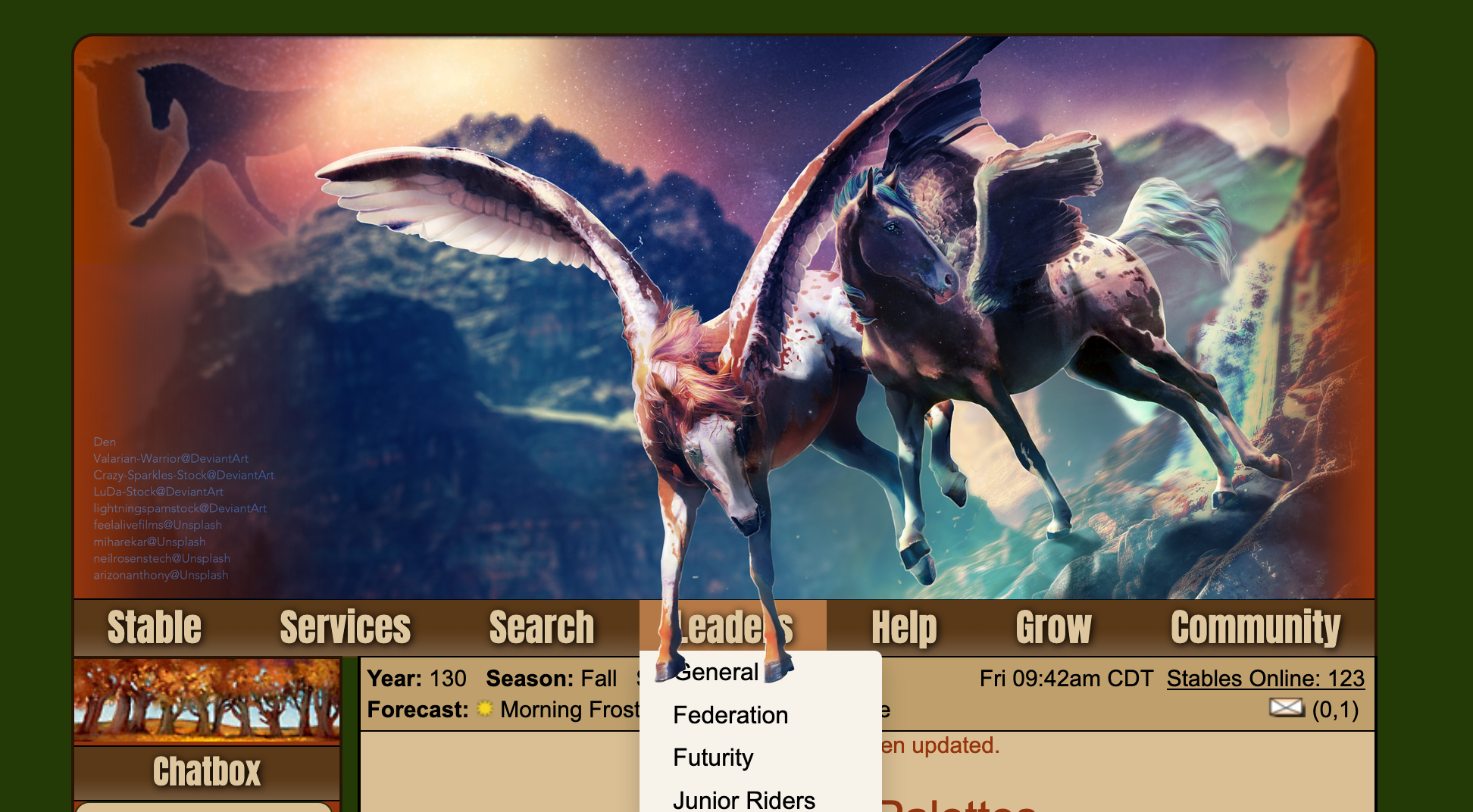
And you’re done!
Congrats on making it through! Please ask any questions and let me know of any mistakes :) Oh, and you might want to set the gameheader’s background property to “none”
Wow, I just noticed that the horse’s hoof is ever so slightly covering up how much ebs I have. The original palette featured a much taller nav bar, so this wasn’t an issue lol

 Heavy Downpours, Flood Warning